



Single page 3D workflow

Image to 3D AI Generator for GLB, OBJ, FBX and STL

Generate 3D assets, inspect local files, and choose the right conversion path without leaving one clean browser page.

7AI model routes
50+Format intents
LocalViewer and utilities
AI generated 3D object preview Stylized 3D model preview Textured 3D asset preview Product style 3D model preview
AI 3D Generator
Checking unlock
Models
No image selected

Upload, drop, or paste a source image.
Use clear lighting and one object for stronger reconstruction.

Turnstile loads after public config is available.

Use the free browser tools anytime. AI generation unlocks after Stripe payment and Turnstile verification.

Free 3D Model Viewer
Open GLB, glTF, OBJ, STL, PLY, FBX, or 3MF files to inspect geometry locally.

FormatReady
Vertices0
Size0 MB
Generation responses and local file inspection results appear here.

One page from image prompt to inspected 3D asset

Img3D is designed for users who arrive with a specific job: generate, view, inspect, convert, resize, or prepare a 3D asset fast.

01

Create

Use AI image to 3D or text to 3D routes for GLB, OBJ, FBX, STL, and USDZ planning.

02

Inspect

Open local model files, read bounds, check texture sizes, and review a live canvas preview.

03

Prepare

Resize images, remove metadata, calculate scale, and choose conversion paths for the target toolchain.

Horizontal tabs for exact search intent

Switch by task type, then jump to the tool or section that matches the phrase a user searched for.

Free local utilities for model files and source assets

These browser tools stay fast and private because model viewing, image resizing, texture checks, and scale math happen locally.

Free GLB Inspector and 3D viewer

No model selected
Choose a 3D file to inspect format, file size, bounding box, and estimated vertex count.


Free Texture Size Checker

No textures selected
Texture dimensions, power-of-two status, and rough RGBA memory estimates appear here.

Free 3D Model Scale Calculator

Enter current and target dimensions to calculate the scale factor.

Free Image Converter

No image selected
Resize and convert PNG, JPG, JPEG, WebP, and browser-supported AVIF files locally.

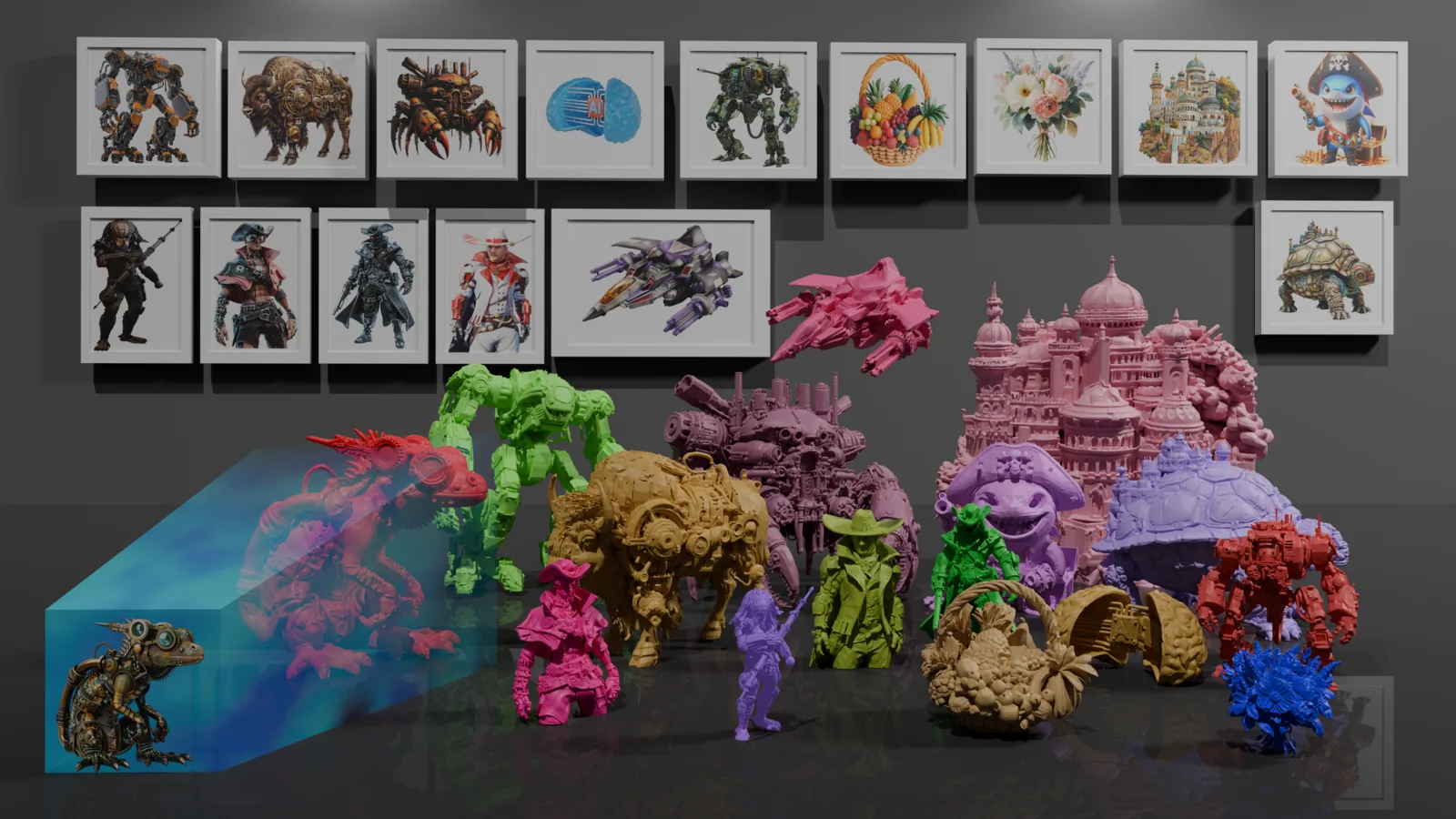
Use real examples to choose a better source image

High contrast silhouettes, single objects, clean backgrounds, and visible side features produce stronger image to 3D results.

3D converters, viewers, and workflow pages mapped to exact search intent

The directory remains visible for search engines and users, but the tabbed map above keeps the page usable.

3D WorkflowCore
3D ViewersLocal files
3D ConvertersFormat paths
Image ToolsBrowser utilities
PDF ToolsImage to PDF
Video ToolsAsset prep
Free 3D GeneratorsModel directory
01

Free GLB Inspector

Open a GLB file locally, review file size, estimate vertices, and inspect the model preview before sending the asset to a game engine, AR viewer, or client review.

02

Free Texture Size Checker

Check PNG, JPG, WebP, and AVIF texture dimensions, power of two status, and rough memory cost before you export a textured 3D model.

03

Free 3D Model Scale Calculator

Compare current and target dimensions, then calculate a precise scale factor for printing, product visualization, AR placement, and game asset imports.

04

Free 3D Model Viewer

Use the local viewer for a quick visual pass on model orientation, material loading, bounds, and expected geometry before a larger workflow begins.

05

Free GLB Viewer

GLB is the fastest handoff format for web and AR previews. Img3D keeps the inspection step on one page with the generator and utility controls.

06

Free glTF Viewer

Inspect glTF assets and plan whether the model should stay as glTF or become a compact GLB for simpler distribution.

07

Free OBJ, STL, and PLY Viewer

OBJ, STL, and PLY files are common in printing, scanning, and mesh exchange. Use local inspection to catch wrong scale and missing surfaces early.

08

Free FBX and 3MF Viewer

FBX and 3MF workflows often need a sanity check before conversion. Img3D labels these paths clearly so users can find the right viewer fast.

09

Free 3D Format Converter

Use the converter map to choose a practical route from FBX, 3MF, GLB, glTF, OBJ, PLY, or STL to the format your toolchain expects.

10

Free Image to GLB AI Workflow

Start with a product photo or sketch, generate a GLB-ready asset, then inspect the output locally before using it in a web viewer or AR scene.

11

Free Image to OBJ AI Workflow

Choose OBJ when the next step is mesh editing, material cleanup, or import into a broad range of modeling tools.

12

Free Image to FBX AI Workflow

Use FBX planning for game, animation, and DCC pipelines where downstream tools expect a familiar exchange format.

13

Free Image to USDZ AI Workflow

Use USDZ planning when the final goal is Apple AR preview or mobile product visualization.

14

Free SVG to 3D AI Workflow

Convert flat logo marks and vector silhouettes into 3D concepts by treating the SVG as a clean shape source for extrusion or reconstruction.

15

Free Image, PNG, JPG, and JPEG to STL Converter

STL is the practical target for many 3D printing workflows. Img3D explains the path and gives users inspection tools before print preparation.

16

Free SVG to STL and Text to STL Converter

Use SVG and text to STL routes for signs, nameplates, simple logos, embossed shapes, and fast printable concepts.

17

Free FBX to OBJ, GLB, STL, PLY, and glTF Converter

FBX often starts in animation tools. Convert it toward simpler exchange formats when the next step is web preview, mesh cleanup, or printing.

18

Free 3MF to STL, OBJ, GLB, PLY, and glTF Converter

3MF is useful for print jobs, but teams often need STL, OBJ, or GLB variants for compatibility and review.

19

Free GLB to OBJ, STL, glTF, and PLY Converter

GLB is compact for delivery, while OBJ, STL, glTF, and PLY can be better for editing, printing, or scan review.

20

Free glTF to OBJ, STL, GLB, and PLY Converter

Use glTF conversion paths when assets need to move between web preview, static mesh exchange, and lightweight scan formats.

21

Free OBJ to GLB, STL, PLY, and glTF Converter

OBJ is easy to edit, but GLB and glTF are usually better for web delivery. STL and PLY remain useful for printing and scan workflows.

22

Free PLY to OBJ, STL, GLB, and glTF Converter

PLY appears often in scans and point-cloud-adjacent workflows. Convert it when the asset needs broader editing or web preview support.

23

Free STL to OBJ, GLB, PLY, and glTF Converter

STL is print-friendly but limited. Convert STL when you need richer exchange, web previews, or a format that fits another modeling tool.

24

Free Image Converter

Convert and resize source images locally before using them in AI generation, texture prep, documentation, or social previews.

25

Free Transparent PNG Maker

Prepare cleaner source images and thumbnails by creating transparent PNG assets for product cards, icon previews, and model presentation.

26

Free Favicon Generator and Social Image Size Converter

Prepare site assets for launch by resizing icons, social cards, and preview images without installing a desktop editor.

27

Free Image Compressor, Cropper, Resizer, Upscaler, Rotator, and Metadata Remover

Clean source images before AI generation and remove extra metadata before sharing production assets or uploading references.

28

Free Image to PDF, JPG to PDF, PNG to PDF, Merge JPG, Merge PNG, and Merge JPG to PDF Tools

Collect reference boards, model previews, and asset notes into PDFs for quick review and handoff.

29

Video Converter, Video Trimmer, Video to GIF, and Video Thumbnail Maker

Prepare short turntables, GIF previews, and thumbnails for model listings, marketplace pages, and client updates.

30

Free 3D Generator Directory

Compare Hunyuan3D-2.0, TRELLIS.2, Sparc3D, InstantMesh, Stable Fast 3D, TripoSG, TripoSR, TRELLIS, Shap-E, Depth Anything 3, and Hunyuan3D 2mv Turbo by input type and output goal.

Questions about AI 3D generation and local model tools

Can Img3D convert every 3D format perfectly?

No browser converter can preserve every material, rig, animation, and external texture. Img3D focuses on inspection and practical workflow guidance first.

What makes a good image for 3D generation?

Use a clear single object, even light, simple background, and visible shape edges. Multi-view inputs help when side geometry matters.

Can I use generated models commercially?

Check the selected AI provider terms and your source image rights before using outputs in paid products, games, ads, or marketplace listings.

Privacy

Local inspection, texture checks, image resizing, and scale calculations run in your browser. AI generation only sends the source material you choose.

Terms

Generated output rights depend on the selected AI provider and your source image rights. Review provider terms before commercial use.

Contact

Questions, abuse reports, and business requests can be sent to contact@img3d.org.